Built for students who take their work seriously
Everything education throws at you. Connected.
Assignments, modules, research projects, lecture notes, revision plans — Noetic brings all of it into a single, connected workspace so you can focus on the work, not the admin around it.


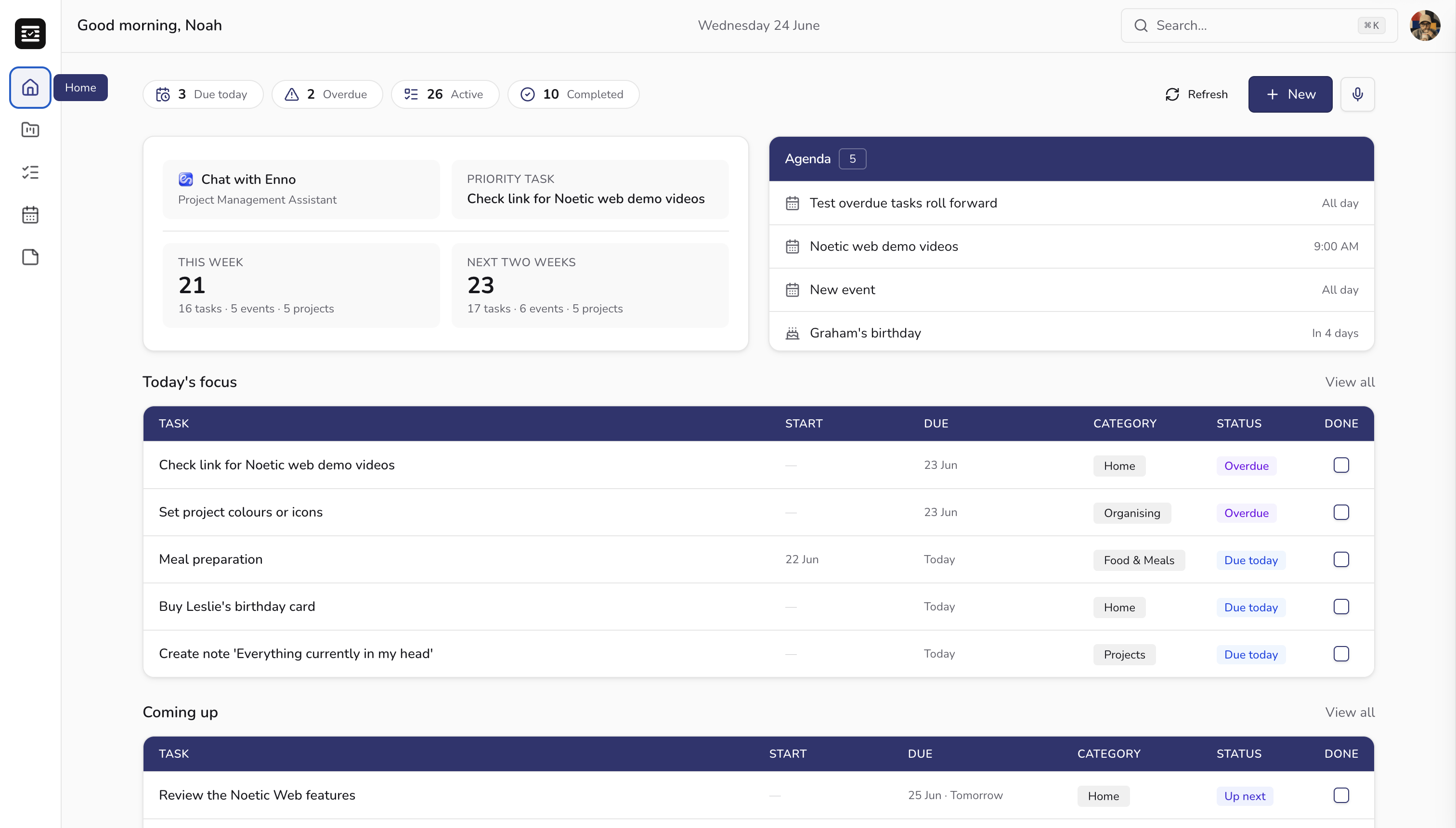
Most students manage their workload across four or five different apps — and still miss things.
Notion for notes. Google Calendar for deadlines. A to-do app for tasks. Messages for group project updates. Noetic replaces all of it — in one calm, connected workspace.
Modules & Projects
A project for every module. Everything where it belongs.
Each module, dissertation chapter, or group project gets its own workspace in Noetic. Tasks, notes, deadlines, and reading lists all live inside the right project — so when you open it, everything you need is right there.
- One workspace per module or project
- Separate personal, academic, and work projects
- Deadlines visible across all projects at once
_1782280732468-CbHS48gb.png)
Assignment Tracking
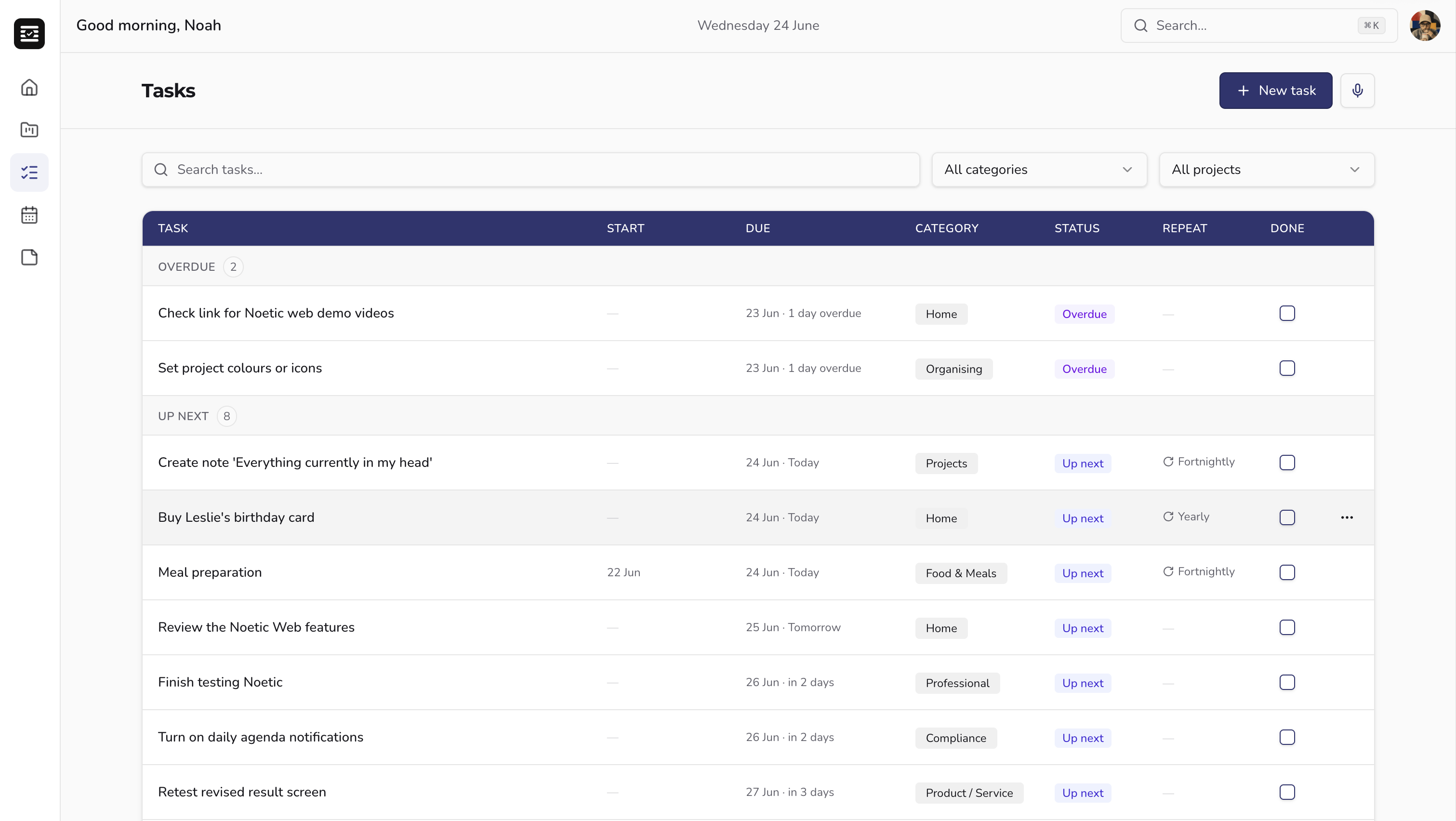
Never miss a submission again.
Log every assignment with a due date and priority. Noetic automatically surfaces what's coming up, flags what's overdue, and helps you work through tasks in the right order — without you having to manually check everything.
- Due date and start date on every task
- Automatic prioritisation across all modules
- Urgent and needs-attention flags
Notes
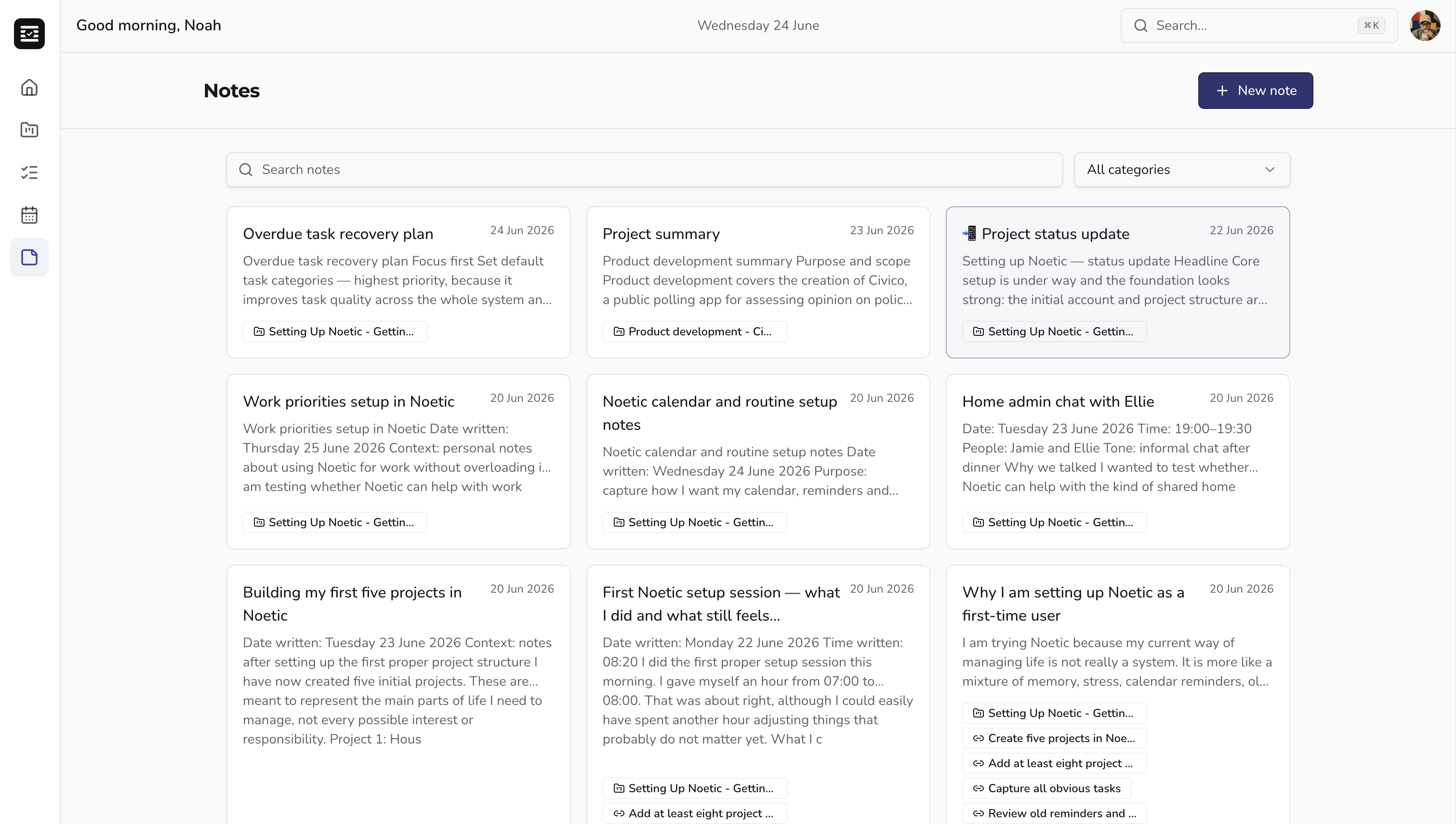
Lecture notes that stay with the right module.
Write notes during lectures and link them directly to the module they belong to. Search across everything in seconds — no more folder chaos or notes app switching.
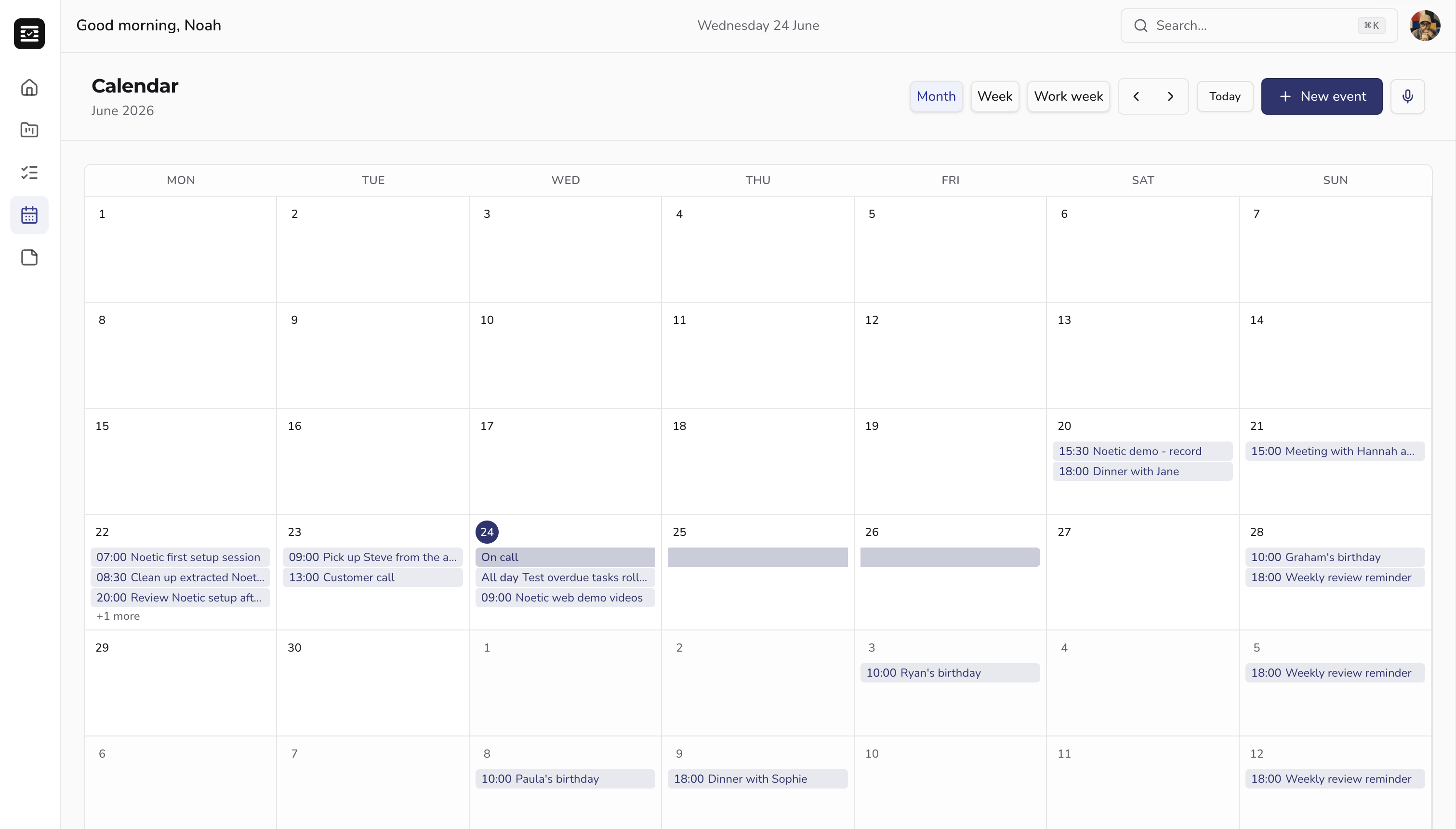
Calendar
Your academic year, in one view.
Submission deadlines, lectures, seminars, and personal commitments all in one calendar. Plan your study blocks without switching between apps to check what's on.
Everything you need
Built for every part of student life.
One project per module
Each course, module, or dissertation gets its own workspace. Tasks, notes, deadlines, and reading lists — all in one place, not scattered across apps.
Assignment tracking
Log every assignment with a start date, due date, and priority. Noetic surfaces what's coming up and flags what needs attention before it becomes urgent.
Lecture notes, properly organised
Capture notes during lectures and link them directly to the right module or project. Find everything later without hunting across folders or notebooks.
Ask Enno, right where you're working
Get a quick answer, a structured summary, or a redraft without leaving your project — Enno already has the context, so you don't have to explain it.
Deadlines and lectures in one view
Your academic calendar, exam schedule, and personal commitments in one place. No more missed submission windows or double-booked study blocks.
Research project support
Break long-term research projects into phases, track reading and sources as tasks, and use Enno to help structure your argument and next steps.
Revision planning
Create revision projects with tasks for each topic. Enno can suggest a revision schedule based on your exam dates and the material you've got left to cover.
Web & iOS — in sync
Plan at your desk. Check in between lectures. Everything stays in sync so you're never working from an out-of-date list.

Meet Enno — your academic AI assistant
An AI assistant that actually knows your work.
Enno lives inside every project in Noetic. Because it can read your tasks, notes, and deadlines, it can give you genuinely useful help — not generic answers. Ask it to help structure your essay, plan your revision, summarise your lecture notes, or just tell you what to focus on today.
Essay structure
Give Enno your brief and it'll suggest a structure, argument flow, and key sections to cover.
Revision planning
Tell Enno your exam dates and topics. It'll suggest a realistic revision schedule based on what you've got left.
Research assistance
Enno can help you refine a research question, identify gaps in your notes, and suggest what to look into next.
Lecture summaries
Drop your lecture notes in and ask Enno to pull out the key points, definitions, and things to follow up.
Assignment planning
Break a big assignment into steps with deadlines. Enno can draft the task list and suggest a realistic timeline.
Meeting prep
Heading into a supervision or tutorial? Ask Enno to pull together what you've worked on and draft questions to ask.
Built for students
Every feature included.
No tiers, no add-ons, no catches.
Everything included
- Projects & tasks for every module
- Assignment deadlines and progress tracking
- Notes and documents linked to projects
- Enno drafts, summarises and helps you plan
- Enno AI academic assistant
- Web, iPad & iOS — always in sync
Stop managing university from five different apps.
One calm workspace for every module, assignment, note, and deadline. With Enno to help you think through the hard stuff.